1
9

cross-posted from: https://forum.guncadindex.com/post/166583

1000041339

This is a fairly new 0.4mm hardened nozzle in a Bambu P1S, the nozzle has maybe 100hrs on it with the only other filament being Overture PLA Pro Black. I switched to the Polymaker Metallic filament, got it calibrated, then printed 2 good parts. This handguard has since failed twice with the nozzle getting clogged. The longest part is the last print where it made it roughly 85% of the way and clogged before printing the threads...

This is my only spool of the material and I only have enough left for 1 more attempt, it's a nearly 18hr print. Is the Metallic glitter within the filament what's causing the clogs? Any tips or suggestions to avoid clogs with this material? Yesterday I took the extruder about and cleaned it well thinking that it could be contributing.

2
7
submitted 1 week ago* (last edited 1 week ago) by iuvi@lemmy.ml to c/3dprinting@lemmy.ml

Good afternoon

This question has probably been asked thousands of times already, but still

I have Neptune4Pro, I would like to change the hotend to Volcano and install a 3x5015 airflow

Is there any guide for green noobs like me, preferably with pictures? I could print model and buy volcano, but how to set things up - big question for me...

Or, if anyone could help, I would write such a guide, photographing and documenting everything during the upgrade process

Seems it is the only model i could find -> https://www.printables.com/model/1294309-neptune-4-35015-printhead-volkano/files

And seems there no remix of such with this one? -> https://www.printables.com/model/905447-sf-3x5015-neptune-4-fan-mod-shroud-optimized-enhan

Thank you very much

3
4
submitted 2 weeks ago by db0@lemmy.dbzer0.com to c/3dprinting@lemmy.ml

Lighter for scale

I wanted to make a gargoyle as a gift, but I couldn't find one that fit my vision. So I turned to some tools for my personal projects.

First of all I generated it using the Qwen-Image model on the AI Horde

Then I used the Hunuan 3D 3.0 model to convert this into a 3D model and finally I printed it on my Bambulab A1 at 300%.

Turned out amazing. Literally no flaws and extremely smooth finish everywhere.

4
27
5
37
submitted 1 month ago by db0@lemmy.dbzer0.com to c/3dprinting@lemmy.ml

...and I started mini painting again. Mostly board game components. Which meant I needed a paint organizer.

6
10

Hey folks,

I was printing a frame with a fresh unopened roll of PETG. I haven't seen this type of thing before. I'm guessing it's because I tried a new (to me) cura setting to move the seam to the corner.

Besides this area, everything came out great.

Any tips on how to get PETG and corner seams to not do this? (Or is the issue unrelated?)

7
3
submitted 2 months ago* (last edited 2 months ago) by RenegadeSC@forum.guncadindex.com to c/3dprinting@lemmy.ml

I've spent the last few days trying to get PETG to print on the P1S.

PLA and PLA Pro printed great with no change to settings and just using the default 0.4 nozzle 0.16mm optimized presets in Orca. Examples: https://imgur.com/a/lx7KzRA

PETG, on the other hand, has been a pain in the ass. The preset for PolyLite PETG failed on my first print miserably, so I aborted after the first few layers. I then attempted a flow rate test as it was under extruding, that test was a failure, and continued to fail until I increased the flow rate from 0.95 to 1.197. At this point, I adjusted it per pass 1 and 2 but was still having issues. I printed a temp tower and decided on a 255C first layer with 250C additional layers. Still no dice, so I looked for suggestions on YouTube. Found a guy swearing by increasing the temp to 279C on the P1S. I tried that, went through all filament calibration tests from flow rate, pressure advance, retraction, max flowrate, and VFA. Tests were looking good, so I tried the original failed print once again, and it turned out pretty good other than the underside of the arch. I used Tree (Auto), but that evidently wasn't good enough. The print is functional, and as everything looked good and my next parts didn't have overhangs, I decided to give them a go. These were complete fails and underextruding all around. I imagine the increased temp along with the pauses for movement on this print may have contributed to burning the filament. Examples: https://imgur.com/a/2nOJ7hb

In short, im at my wits end with PETG on this printer, and it's apparently a common issue. I dried for 6 hours at 65C, then kept the filament in a Sunlu S2 at 55C while printing. 0.4mm hardened steel nozzle, 0.16mm Optimal Preset with walls set to "3" and printing order set to "inner/outer/inner", using the stock Textured PEI build plate, PolyLite Grey PETG, P1S on firmware V01.08.00.00, and Orca on v2.3.1.

If anyone can share their PETG settings, im all ears, thanks.

8
49
Explain that (lemmy.ml)
9
1
(mastodon.social)

@3dprinting
Hola que tal invito a quien sea a visitar mi perfil de cults 3D:
https://cults3d.com/@ELLOCO01

10
1
submitted 3 months ago by cyberwolfie@lemmy.ml to c/3dprinting@lemmy.ml

I got a Prusa CORE One earlier this year, and so far I've been very happy. I have not ventured outside of the default settings though, and I use their own filament (only PLA). This has worked perfectly fine so far, but now I ran into an issue, and I figure it's time to come out of the "default settings"-bubble and learn some more about this stuff.

I am trying to print a Gridfinity holder for a rolling pin, so I tried to cut out a appropriately sized cylinder in a template with a boolean operator in Blender. When the print got to the concave portion, the print started to fail - uncertain how to best explain it, but the overhangs over the infill did not properly bridge and the filament started to warp so that the print head would hit it on the next pass (and make some nasty scratching sounds). I stopped the print when I noticed this. See an image here:

I am uncertain whether this is due to the model being poorly optimized for 3D-printing, if the printer settings for the filament were off or if I could've tweaked the slicing settings to achieve a better result.

Is it obvious, looking at the image, what the primary reason for this failure is?

Note: I've ended up printing this again already with a regular rectangular cutout instead of a cylindrical one, so I am just trying to learn more about what made this fail to learn more.

11
11

So I atm have a K1 and it just works. No issues printing wise.

I want to start to do multi color prints and was thinking of getting a Prusa Core One with MMU3.

The main reason is I like the slicer and Prusa doesn’t jam ads and coins down my throat whenever I print. I mainly upload my files to the cloud and send it to printer that way. Is this a good idea or should I just get crealitys multi color upgrade?

WWYD ?

12
10
submitted 4 months ago by sabreW4K3@lazysoci.al to c/3dprinting@lemmy.ml
13
22

Preface: I'm on my third cheap printer in the past ten years. I bought an Anycubic kobra neo a few years ago. I told myself I wouldn't mess with doing anything to it, but I was running into issues because of low quality control. I put it away due to frustration for the past year and now needed to print something and just figuring out all the issues. Right now I'm looking into upgrading the part cooling fan as I cannot get rid of stringing even on low temps with PLA. I should just buy a good printer but I just don't feel like I can justify it.

14
6

I recently got a Centauri Carbon and didn't find a community specifically for it on the Fediverse so I made one for anyone who is interested. https://lemmy.world/c/elegoo_centauri_carbon

15
23
submitted 4 months ago by MxRemy@piefed.social to c/3dprinting@lemmy.ml

Upgraded my Adept trackball to use the AnyBall 57-68mm mod, with an Aramith tournament series cue ball and Rexroth BTUs.

Sorry for constantly proselytizing about the wonders of PHA lol. But look at this thing! The Adept is pretty ingeniously designed for printing, but I wouldn't really say it's an easy print either. There are steeeeep overhangs and really long bridges. After getting the settings dialed in, PHA more or less handled it just fine, and now my trackball is home compostable. It also has this really interesting feel to it, kind of reminds me more of leather than plastic.

Few more pics:

16
9

Is anyone maintaining a centralized filament profile database for Voron and other FOSS printers like the Sovols? Understanding it would require filtering by hotend/extruder, etc, but seems like this would be something that exists somewhere.

17
5
submitted 5 months ago* (last edited 5 months ago) by Neondragon25@piefed.social to c/3dprinting@lemmy.ml

Hello peoples, I have some acrylic panels that I have cut to size, and was thinking I could just print some edges / trim to make them nice and give a good finished look to them. Unfortunately my googlefu seems to be lacking and I cannot find what I am looking for. Can I get an assist in locating a or a few files. I dont doubt my abilities to make one if needed, but I have a few things going on and am looking for a simple solution. Thank you for you time!

UPDATE: What up nerds, I made my own. here's a link in case anyone wants some! https://www.printables.com/model/1355605-edge-trim-for-25mm-acrylic-panels

18
13

The design is based on the excellent Dactyl keyboard, generated with https://ryanis.cool/cosmos/ and it runs the excellent qmk firmware. It is handwired:

and I have also made a palm support using inkscape and openscad

All printed on a reprap prusa i3 derivative.

This helps me use my computer with less pain, so I want to call out all the wonderful projects and people who contribute to them which made it possible.

Total cost? $60 aud, amortised filament ~15 bucks worth maybe? and a lot of my time haha.

19
20
submitted 7 months ago by dohpaz42@lemmy.world to c/3dprinting@lemmy.ml

I am using an Ender 3 Pro v2, and I have followed multiple guides (they all say the same things) for setting up a print to prevent stringing. I’ve also switched between two filaments (Creality and Amolen) and the stringing doesn’t change at all. I have noticed that when heating up the horned, the filament just oozes out like ectoplasm even before the print starts.

I have never had this problem before, and could use some human advice.

I have upgraded/replaced the following parts in the past:

  1. Bowden Tubes
  2. Printer Nozzles
  3. Dual Gear Extruder
  4. Heater Block
  5. Heater Cartridge
  6. Thermistor Temp Sensor

My Tweaked Settings:

20
9
submitted 7 months ago by dohpaz42@lemmy.world to c/3dprinting@lemmy.ml

I have cut my teeth on the Ender 3 Pro v2 printer by Creality. Neat little printer; it works wonders when/if it’s perfectly dialed in. The thing is, I don’t have the interest to dial it in like it needs to be. I just want to turn it on, send it a print, and walk away. I do t want to spend all morning (like this morning) trying to “auto-level” 🙄 the bed, just to not have it be level.

When I try to manually level the bed it’s worse: I can measure one corner 5 times in a row, and get 5 wildly different heights each time. And I’m even using the Creality BL Touch sensor!

I have upgraded the springs, and I’m using the wide knob’s, and spent days trying to tune in my printer. I’m also using the Jyers Marlin firmware (15x15).

It’s exhausting and not fun. Help me Make Printing Fun Again. 😩

21
1
submitted 7 months ago by Osnapitsjoey@lemmy.one to c/3dprinting@lemmy.ml

cross-posted from: https://lemmy.one/post/27366079

So I'm building a box turtle ams for my modded to all hell ender 3. My main idea was to create a filament cutter for the microswiss ng, but I cannot figure out a good way to do it with such a low filament travel path...which really sucks, as this is a very good hot end. Since I'm already doing this ams project, and have a wedding (very excited to marry my future wife) coming up, I really don't have the time for a second project. At this point I believe it will be easier to 3d print a voron hotend adapter to work with my ender 3, then to try and retrofit a filament cutter onto my ender 3 microswiss.

If you guys and gals know of anyone selling a completed one. Or have any ideas, please let me know!

22
46
submitted 8 months ago by kek_w_lol@lemmy.one to c/3dprinting@lemmy.ml

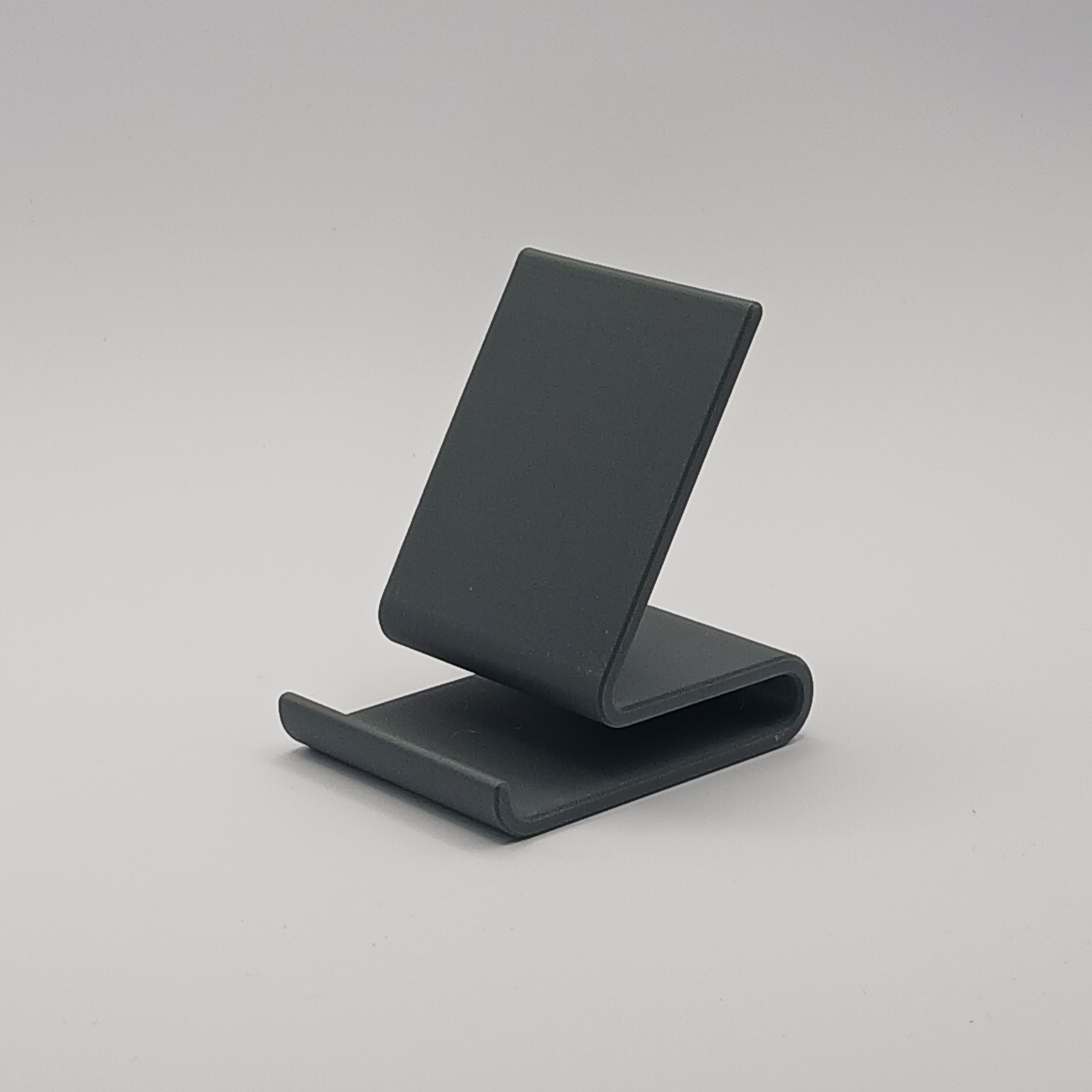
Just a simple and (in my opinion) sleek phone stand. Link for anyone interested: printables.com/model/1251408-simple-static-phone-stand

23
14
24
22

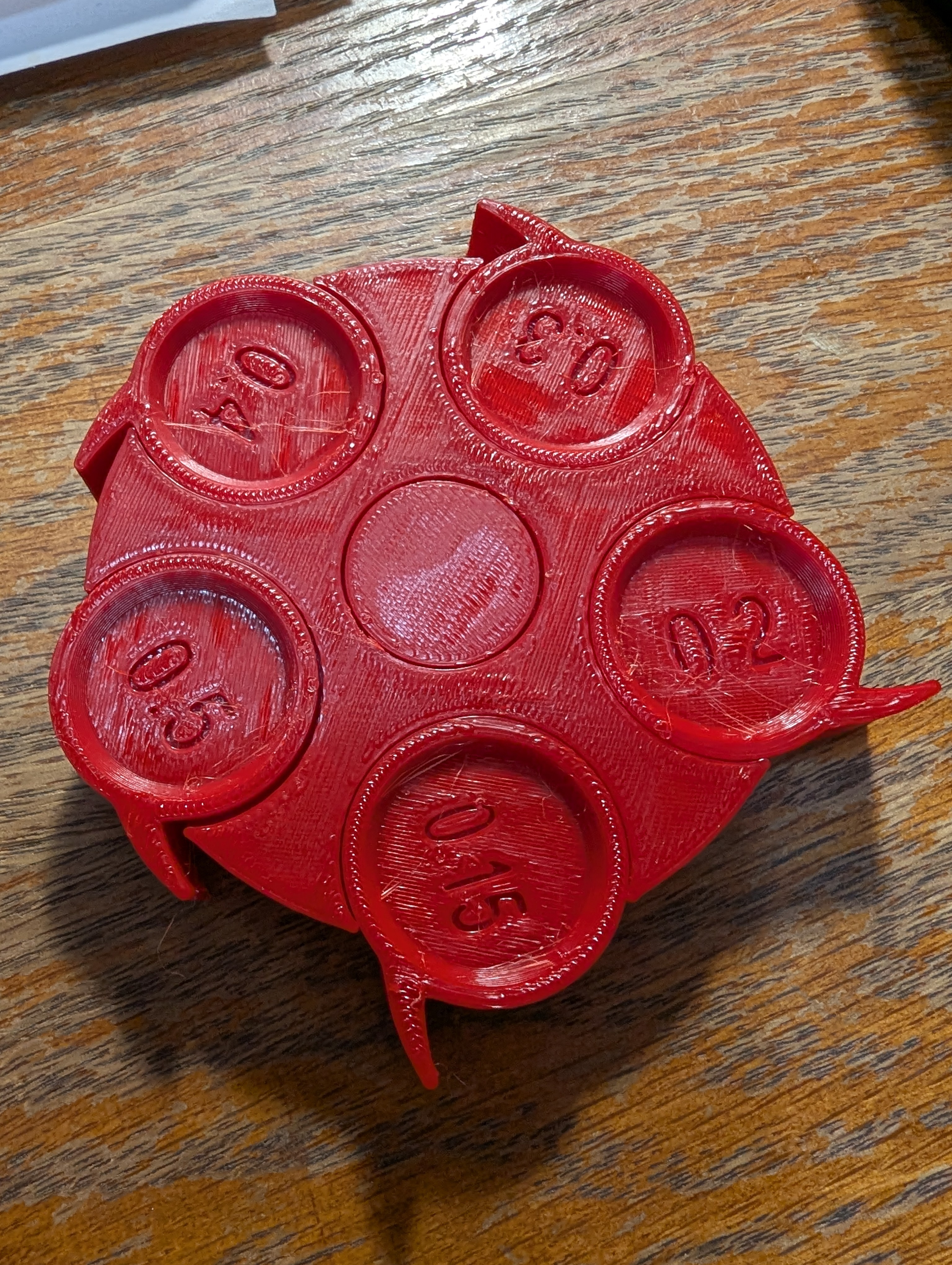
As the title says, this is the best tolerance test I've been able to produce since I first started printing a few years ago. There's stringing, but that would be solved if I dried it, yes I dry pla too. This print is the Sci3d Clearance Test as downloaded in January 2023, from 0.5mm to 0.15mm clearances.

Every spinner is loose and easily moves, I actually had a bit of trouble with the center spindle due to a bit of over extrusion on the top layers.

My machine is a modified ender 3 pro with Klipper. Currently have a 0.4mm hardened steel nozzle mounted with 0.2mm layer heights.

Sliced with the latest release prusaslicer, custom printer, filament, and print profiles.

The filament is one of my favorite PLAs, Voxel PLA, this one is red, but they all print the same for me.

Sorry for the boring post, but this was a huge achievement for me and basically everyone I know wouldn't understand the magnitude of this kind of repeatable precision on such a low cost machine.

25
20

I've been printing quite a few registration plates to hold parts in place in production that need to sit as flat as possible on the production jigs.

I've noticed that taking the finished parts off the bed of the printer too soon causes them to warp: they come off the bed looking nicely set and straight, but as they finish cooling down unsupported, they slowly warp until they finally fully reach room temperature after 10 or 15 minutes.

So now I let them cool down slowly on the bed of the printer after the print is done. Ideally I let the bed cool down to room temperature: then the parts readily separate naturally as they shrink. If I'm in a hurry, I'll still wait until the parts release with very little force, around 35C - but no hotter than that, to avoid warping - as in this video.

view more: next ›

3D Printing

5301 readers
1 users here now

For everyhting 3D printing related.

Please be excellent to each other :)

Icon by Freepik, Banner photo by Thiago Medeiros Araujo

founded 5 years ago
MODERATORS