237
I'm still pretty useless with Linux, but I'm trying to learn
(sh.itjust.works)
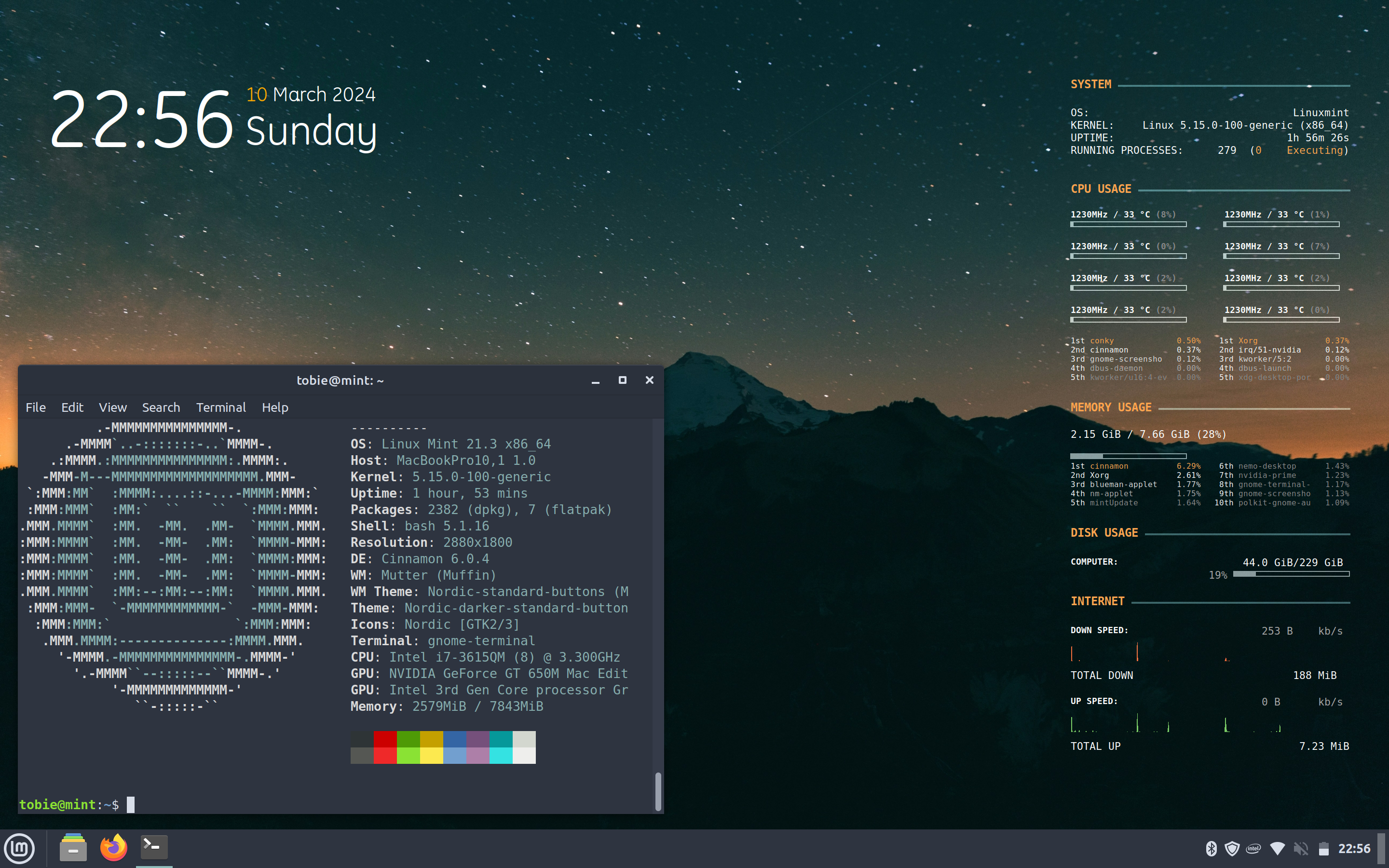
You were able to take a nice unixporn worthy screenshot. That is all you need to learn.
Jokes aside I wish you a very good luck
Looks like the learning's going well, Mint is such a good distro for all users and will teach you a lot.
Yeah, I foolishly shopped around a whole host of distros and DEs after seeing things on reddit and getting ideas above my station.
Most couldn’t even boot either the live USB or following install, and I didn’t really know how to find out why.
Others worked for a week or more before failing after an update and I hadn’t figured out Timeshift yet.
Probably my 2012 hybrid Intel/Nvidia graphics played a part if I was guessing.
Probably my 2012 hybrid Intel/Nvidia graphics played a part if I was guessing
Having lived this, I would be inclined to agree
Wow people still use conky! Last time I tried using it, Linux was in kernel 2.6.
It's good shit
A lot of it seems at least partly deprecated, had to just delete a few presets I couldn’t get to show any data
I don't get it. The only time I see the desktop is just after login.
I'm useless no matter what OS I use ;)
I'm so useless I can't even be used as a bad example
Try it out and see if it fits you.
There's plenty of resources and helpful people out there to help you, and a lot of new shiny tech and toys to enjoy.
Have fun and help others if you can.
Looks like you got it pretty well under control to me.
If love to copy your conky setup. That looks slick.
Yeah, it’s nice!
I can’t take any credit for it, I found it here and figured out how to modify it slightly, mainly to remove the bits I couldn’t get to work.
Hey, it looks clean and functional. Just keep taking it one step at a time, and learn as much as you can.
Seems you've taken to Conky pretty well. How's it holding up for daily tasks? You comfortable moving in?
Definitely perfectly comfortable on Mint for day to day use… but would still struggle for anything that hasn’t got a GUI. Obviously can copy and paste commands but would like to be better than that.
This is installed on my old computer and I upgraded to a M1 Mac as my main one, so this is more a hobby project and learning experience than a daily driver.
Have had a lot of issues with previous installs from other distros failing, I think due to this Mac’s 2012 Intel/Nvidia hybrid graphics.
You‘re doing well, young Linux fellow
Where does this System Information edit: on the right side as desktop overlay come from?
Conqi widgets
Thanks!
type neofetch into your terminal
I meant the right side. Sorry, I should have clarified.
i assume thats conky?
Yeah it’s plain old Conky.
Trying to be incredibly non-invasive and able to backtrack on anything I do. So nothing extra installed and no Conky Manager, all just using someone else’s conky.conf settings I found online, which I then tweaked (and removed some bits I couldn’t get working!)
Interested as well :)
conky (i think)
Thanks!
My guess is conky. I use it too but mine doesn't look anywhere near as nice as OP's does.
Can’t take any credit, but found this after doing some searching
Much appreciated!
Looks good! Conky reminds me of [the long-defunct] rainmeter software, pretty good nostalgia.
Linux mint is good 💚
Submit screenshots of all your *NIX desktops, themes, and nifty configurations, or submit anything else that will make themers happy. Maybe a server running on an Amiga, or a Thinkpad signed by Bjarne Stroustrup? Show the world how pretty your computer can be!