[-] PorkrollPosadist@hexbear.net 2 points 2 days ago

Yes. In the past you could just not connect to a network and run installer offline, but now it requires a network connection unless you search for instructions on how circumvent it.

[-] PorkrollPosadist@hexbear.net 28 points 2 days ago

We may be laughing now, but Microslop is going to roll out 10-factor authentication on Shithub because of this.

[-] PorkrollPosadist@hexbear.net 5 points 3 days ago* (last edited 3 days ago)

Microsoft has been trying very hard to phase out local accounts for a while now. It is impossible to install Windows without a Microsoft account unless you escape from the installer and run a series of commands in the terminal. It is approaching the "install Linux with ZFS as your root filesystem" user experience.

[-] PorkrollPosadist@hexbear.net 35 points 3 days ago

Now, I'm usually a fairly level-headed Windows enthusiast

Absolutely demonic.

[-] PorkrollPosadist@hexbear.net 7 points 5 days ago* (last edited 5 days ago)

I can't believe Windows still keeps the system clock in local time. Like what the fuck happens if you drive into another timezone with your laptop? It's pure barbarism.

[-] PorkrollPosadist@hexbear.net 28 points 5 days ago

boil em mash em stick em in a stew

[-] PorkrollPosadist@hexbear.net 4 points 5 days ago* (last edited 5 days ago)

Oh shit I forgot, lmao

Yeah I don't think Moonworm turned up (which is fine). The schedule is running on the assumption that people just want to keep playing forever, which isn't necessarily true. This week it would be @Doubledee@hexbear.net's turn.

Last week when I played I got the feeling that this fort was really running out of steam (might just be I wasn't in the right mood though). Things have gotten quite disorganized and keeping things running is very micro-managey, which makes starting long-term projects difficult (let alone the one year turn limit). I kinda lean towards retiring it and applying what we've learned to a new fort after a bit of a break, but I don't want to pull the plug unilaterally if anybody sees potential in pressing onward.

[-] PorkrollPosadist@hexbear.net 3 points 6 days ago

Esprit does the same shit. meow-tableflip

[-] PorkrollPosadist@hexbear.net 12 points 6 days ago* (last edited 6 days ago)

I sincerely love reading academic papers on rendering techniques and trying to implement them and adapt them to my needs. All commercial studios know these days is import UE5 open world FPS template, asset flip, eat hot chip and lie.

25
submitted 1 week ago* (last edited 1 week ago) by PorkrollPosadist@hexbear.net to c/games@hexbear.net

It's Fortress Friday! Today we wait for Me to finish my turn and for control of the game to pass on to @Moonworm@hexbear.net (please confirm), with the following players waiting for a chance to leave their mark on Dwarven history.

  1. (Beginning Feb. 6) @Doubledee@hexbear.net

  2. (Beginning Feb. 13) @gay_king_prince_charles@hexbear.net

  3. (Beginning Feb. 20) @booty@hexbear.net

  4. (Beginning Feb. 27) @Oreb@hexbear.net

New players are encouraged to apply in this thread. All players and spectators are welcome to load up the save and see what's going on first hand.

Lore

How to play

Importing the save

Dwarf Fortress saves are not stored in a single file. They are stored as named directories containing over a thousand individual data files. In order to load the game, you need to download a zipped archive of the save and place it in your Dwarf Fortress save directory. This directory can be located in a number of places depending on which OS you are using and what settings you have enabled.

If Portable mode is enabled (not default), the save directory will be located in the same directory as dwarfort / dwarfort.exe. If you are using Steam with the default locations, these are:

On Linux: ~/.local/share/Steam/steamapps/common/Dwarf Fortress/save

On Windows: C:\Program Files (x86)\Steam\steamapps\common\Dwarf Fortress\save

This directory might exist, even if Portable mode is turned off (default), but in that case it will be ignored by the game. Instead, save files are stored somewhere in your user directory.

On Linux: ~/.local/share/Bay 12 Games/Dwarf Fortress/save

On Windows: %AppData%\Roaming\Bay 12 Games\Dwarf Fortress\save

Extract the FFSeason1 directory from the archive and place it inside of the appropriate save directory, then you should see it after starting the game.

Stopping the clock

By using a combination of the "Autosave Frequency" (any setting as long as it is not "Off") and "Pause after every autosave" options, you can cause the game to pause at the exact moment the calendar ticks over to 1st Granite (the first day of the year).

After the game pauses, you still have the opportunity to do a couple minor things, like designating blueprint tiles to label hazards, noteworthy sources of material, or leaving graffiti. You can also rename stockpiles and rooms, etc. before writing the final save. You should avoid doing anything that will substantially change the behavior of the fort or generate labor tasks (like creating / removing stockpiles, changing which items are allowed to be stored in stockpiles, enabling / disabling standing orders, creating new work orders, or designating new rooms / meeting areas). Military schedules often change at the start of a season (e.g. the "staggered training" preset). This is fine.

Any blueprints left are merely suggestions. The next player is free to ignore them. If you wanted something built there, you should have microed your miners better :P

Exporting the save

When Dwarf Fortress creates auto-saves, or if you use the "save and continue playing" feature, Dwarf Fortress will write these saves to an alternate directory (e.g. autosave1 or pull the lever). When you finish your turn, you need to use the "Save and return to title menu" option and choose "Save to this timeline." You need to do this even though the game just created an auto-save. This will write the save back to the FFSeason1 directory, which you can then place in a zip archive and submit.

Making your submission.

Save files can be e-mailed to fortress-friday@matapacos.dog ahead of time. Some e-mail services (like Gmail) prohibit sending large enough attachments, but if it works on your end, it should work on mine. Otherwise, the file may need to be hosted using a third-party service. Dwarf Fortress File Depot is the canonical service for this (they have a category specifically for community games), but any service which doesn't require me to create an account or jump through flaming hoops is acceptable. Currently (as of Episode 3), the compressed save is about 58MB. It won't get any smaller with time.

Alternately, submissions can be made as a reply to the following week's Fortress Friday post, which will be posted in anticipation of a submission. This thread will be posted and used to coordinate the game and get the proper files into the hands of the next player regardless of if the anticipated turn was completed.

Whether or not the file was transferred in advance, The player who just completed their turn should make a top-level comment in this thread describing noteworthy events of their turn. You are encouraged (but not required) to roleplay and continue to spin a fantasy narrative out of it, but you don't need to write us a Tolkien novel - especially if you are pressed for time and have other shit to worry about. This shouldn't feel like a homework assignment.

My initial submission will be excessive because I am also covering the results of world-generation, the historical circumstances of the civilization we chose, and the embark. Subsequent posts will mostly be focused on chronicling events in Fortress Mode. You are absolutely not expected to export the world history and spend hours dicking around in Legends Viewer spinning up backstories for every minor goblin who gets turned into dog food.

What if a turn is not completed / running late?

If you anticipate not being able to complete your turn, just let us know (the sooner, the better) so we can make adjustments. Shit pops up. There are more important things in life than a stupid game. We won't be mad at you.

In case Fortress Friday rolls around and there is no submission, Tentatively, I think we give the player 24 hours to actually make their post before we start openly contemplating passing to the next player, followed by another 24 hours to find out which of the next players is actually available. So if there is no update by mid-Saturday, we find another candidate, and if there is no word by mid-Sunday, they are given the green light to play.

What if a turn is completed early?

You can tease us (it's reassuring to know progress is being made), but hold on to your spoilers until Fortress Friday. I think keeping this thing on a regular schedule will do a lot to keep everybody looking forward to updates and keeping things organized. If anticipation is eating away at you, try to fill in some lore and backstory.

Rules

There are not many hard rules, but generally

  • You play for one year in-game time. Turns should begin and end on 1st Granite.

  • Avoid using blatant exploits (the game is built of cheese, so this is sort of like the pornography rule, "you know it when you see it.") Things like perpetual motion machines or material duplication schemes should be shunned. Some things classified as exploits, like "atom smashers" should be fine as long as their applications aren't egregious.

  • Try not to save-scum (Do save though. Crashes happen, and named "save and continue" saves won't clutter the main save).

  • You are free to use DFHack, but do not use any of it's "Armok" (god-mode) features. Also, try to keep it modest. The fort shouldn't fail catastrophically if the next player doesn't have DFHack installed.

52
State of Mozilla (RIP) (stateof.mozilla.org)
submitted 2 weeks ago* (last edited 2 weeks ago) by PorkrollPosadist@hexbear.net to c/technology@hexbear.net

Mozilla is out here unleashing levels of slop previously believed to be impossible. Some of the absurdity gets picked apart in this thread.

Anyway, development of Servo resumed a couple years ago after they managed to scrape together a couple of grants. This past October they tagged their first release (v0.0.1) and have made a few more since. It looks like things are finally moving somewhat. They will be giving a couple of talks this weekend at FOSDEM.

It is not a suitable replacement yet, but watch this space.

57
23
submitted 3 weeks ago* (last edited 3 weeks ago) by PorkrollPosadist@hexbear.net to c/games@hexbear.net

It's Fortress Friday! Today we wait for @Oreb@hexbear.net to finish their turn and for control of the game to pass on to @Infamousblt@hexbear.net (please confirm), with the following players waiting for a chance to leave their mark on Dwarven history.

  1. (Beginning Jan. 23) [Second turns begin] @PorkrollPosadist@hexbear.net

  2. (Beginning Jan. 30) [First slot for new players] @Moonworm@hexbear.net

  3. (Beginning Feb. 6) @Doubledee@hexbear.net

  4. (Beginning Feb. 13) @gay_king_prince_charles@hexbear.net

  5. (Beginning Feb. 20) @booty@hexbear.net

  6. (Beginning Feb. 27) @Oreb@hexbear.net

New players are encouraged to apply in this thread. All players and spectators are welcome to load up the save and see what's going on first hand.

Lore

How to play

Importing the save

Dwarf Fortress saves are not stored in a single file. They are stored as named directories containing over a thousand individual data files. In order to load the game, you need to download a zipped archive of the save and place it in your Dwarf Fortress save directory. This directory can be located in a number of places depending on which OS you are using and what settings you have enabled.

If Portable mode is enabled (not default), the save directory will be located in the same directory as dwarfort / dwarfort.exe. If you are using Steam with the default locations, these are:

On Linux: ~/.local/share/Steam/steamapps/common/Dwarf Fortress/save

On Windows: C:\Program Files (x86)\Steam\steamapps\common\Dwarf Fortress\save

This directory might exist, even if Portable mode is turned off (default), but in that case it will be ignored by the game. Instead, save files are stored somewhere in your user directory.

On Linux: ~/.local/share/Bay 12 Games/Dwarf Fortress/save

On Windows: %AppData%\Roaming\Bay 12 Games\Dwarf Fortress\save

Extract the FFSeason1 directory from the archive and place it inside of the appropriate save directory, then you should see it after starting the game.

Stopping the clock

By using a combination of the "Autosave Frequency" (any setting as long as it is not "Off") and "Pause after every autosave" options, you can cause the game to pause at the exact moment the calendar ticks over to 1st Granite (the first day of the year).

After the game pauses, you still have the opportunity to do a couple minor things, like designating blueprint tiles to label hazards, noteworthy sources of material, or leaving graffiti. You can also rename stockpiles and rooms, etc. before writing the final save. You should avoid doing anything that will substantially change the behavior of the fort or generate labor tasks (like creating / removing stockpiles, changing which items are allowed to be stored in stockpiles, enabling / disabling standing orders, creating new work orders, or designating new rooms / meeting areas). Military schedules often change at the start of a season (e.g. the "staggered training" preset). This is fine.

Any blueprints left are merely suggestions. The next player is free to ignore them. If you wanted something built there, you should have microed your miners better :P

Exporting the save

When Dwarf Fortress creates auto-saves, or if you use the "save and continue playing" feature, Dwarf Fortress will write these saves to an alternate directory (e.g. autosave1 or pull the lever). When you finish your turn, you need to use the "Save and return to title menu" option and choose "Save to this timeline." You need to do this even though the game just created an auto-save. This will write the save back to the FFSeason1 directory, which you can then place in a zip archive and submit.

Making your submission.

Save files can be e-mailed to fortress-friday@matapacos.dog ahead of time. Some e-mail services (like Gmail) prohibit sending large enough attachments, but if it works on your end, it should work on mine. Otherwise, the file may need to be hosted using a third-party service. Dwarf Fortress File Depot is the canonical service for this (they have a category specifically for community games), but any service which doesn't require me to create an account or jump through flaming hoops is acceptable. Currently (as of Episode 3), the compressed save is about 58MB. It won't get any smaller with time.

Alternately, submissions can be made as a reply to the following week's Fortress Friday post, which will be posted in anticipation of a submission. This thread will be posted and used to coordinate the game and get the proper files into the hands of the next player regardless of if the anticipated turn was completed.

Whether or not the file was transferred in advance, The player who just completed their turn should make a top-level comment in this thread describing noteworthy events of their turn. You are encouraged (but not required) to roleplay and continue to spin a fantasy narrative out of it, but you don't need to write us a Tolkien novel - especially if you are pressed for time and have other shit to worry about. This shouldn't feel like a homework assignment.

My initial submission will be excessive because I am also covering the results of world-generation, the historical circumstances of the civilization we chose, and the embark. Subsequent posts will mostly be focused on chronicling events in Fortress Mode. You are absolutely not expected to export the world history and spend hours dicking around in Legends Viewer spinning up backstories for every minor goblin who gets turned into dog food.

What if a turn is not completed / running late?

If you anticipate not being able to complete your turn, just let us know (the sooner, the better) so we can make adjustments. Shit pops up. There are more important things in life than a stupid game. We won't be mad at you.

In case Fortress Friday rolls around and there is no submission, Tentatively, I think we give the player 24 hours to actually make their post before we start openly contemplating passing to the next player, followed by another 24 hours to find out which of the next players is actually available. So if there is no update by mid-Saturday, we find another candidate, and if there is no word by mid-Sunday, they are given the green light to play.

What if a turn is completed early?

You can tease us (it's reassuring to know progress is being made), but hold on to your spoilers until Fortress Friday. I think keeping this thing on a regular schedule will do a lot to keep everybody looking forward to updates and keeping things organized. If anticipation is eating away at you, try to fill in some lore and backstory.

Rules

There are not many hard rules, but generally

  • You play for one year in-game time. Turns should begin and end on 1st Granite.

  • Avoid using blatant exploits (the game is built of cheese, so this is sort of like the pornography rule, "you know it when you see it.") Things like perpetual motion machines or material duplication schemes should be shunned. Some things classified as exploits, like "atom smashers" should be fine as long as their applications aren't egregious.

  • Try not to save-scum (Do save though. Crashes happen, and named "save and continue" saves won't clutter the main save).

  • You are free to use DFHack, but do not use any of it's "Armok" (god-mode) features. Also, try to keep it modest. The fort shouldn't fail catastrophically if the next player doesn't have DFHack installed.

58
submitted 4 weeks ago* (last edited 4 weeks ago) by PorkrollPosadist@hexbear.net to c/news@hexbear.net
31
submitted 1 month ago* (last edited 1 month ago) by PorkrollPosadist@hexbear.net to c/games@hexbear.net

It's Fortress Friday! Today we wait for @booty@hexbear.net to finish his turn and for control of the game to pass on to @Oreb@hexbear.net (please confirm), with the following players waiting for a chance to leave their mark on Dwarven history.

  1. (Beginning Jan. 16) @Infamousblt@hexbear.net

  2. (Beginning Jan. 23) [First slot for new players / second turns begin] @PorkrollPosadist@hexbear.net

  3. (Beginning Jan. 30) @Moonworm@hexbear.net

  4. (Beginning Feb. 6) @Doubledee@hexbear.net

  5. (Beginning Feb. 13) @gay_king_prince_charles@hexbear.net

  6. (Beginning Feb. 20) @booty@hexbear.net

New players are encouraged to apply in this thread. All players and spectators are welcome to load up the save and see what's going on first hand.

As we approach the point where players will begin their second turns, we will transition how we handle adding new players to the queue. Applications at this point will be put +/- two weeks back in the queue (after the next player) so people can have a reasonable amount of time to make adjustments.

Lore

How to play

Importing the save

Dwarf Fortress saves are not stored in a single file. They are stored as named directories containing over a thousand individual data files. In order to load the game, you need to download a zipped archive of the save and place it in your Dwarf Fortress save directory. This directory can be located in a number of places depending on which OS you are using and what settings you have enabled.

If Portable mode is enabled (not default), the save directory will be located in the same directory as dwarfort / dwarfort.exe. If you are using Steam with the default locations, these are:

On Linux: ~/.local/share/Steam/steamapps/common/Dwarf Fortress/save

On Windows: C:\Program Files (x86)\Steam\steamapps\common\Dwarf Fortress\save

This directory might exist, even if Portable mode is turned off (default), but in that case it will be ignored by the game. Instead, save files are stored somewhere in your user directory.

On Linux: ~/.local/share/Bay 12 Games/Dwarf Fortress/save

On Windows: %AppData%\Roaming\Bay 12 Games\Dwarf Fortress\save

Extract the FFSeason1 directory from the archive and place it inside of the appropriate save directory, then you should see it after starting the game.

Stopping the clock

By using a combination of the "Autosave Frequency" (any setting as long as it is not "Off") and "Pause after every autosave" options, you can cause the game to pause at the exact moment the calendar ticks over to 1st Granite (the first day of the year).

After the game pauses, you still have the opportunity to do a couple minor things, like designating blueprint tiles to label hazards, noteworthy sources of material, or leaving graffiti. You can also rename stockpiles and rooms, etc. before writing the final save. You should avoid doing anything that will substantially change the behavior of the fort or generate labor tasks (like creating / removing stockpiles, changing which items are allowed to be stored in stockpiles, enabling / disabling standing orders, creating new work orders, or designating new rooms / meeting areas). Military schedules often change at the start of a season (e.g. the "staggered training" preset). This is fine.

Any blueprints left are merely suggestions. The next player is free to ignore them. If you wanted something built there, you should have microed your miners better :P

Exporting the save

When Dwarf Fortress creates auto-saves, or if you use the "save and continue playing" feature, Dwarf Fortress will write these saves to an alternate directory (e.g. autosave1 or pull the lever). When you finish your turn, you need to use the "Save and return to title menu" option and choose "Save to this timeline." You need to do this even though the game just created an auto-save. This will write the save back to the FFSeason1 directory, which you can then place in a zip archive and submit.

Making your submission.

Save files can be e-mailed to fortress-friday@matapacos.dog ahead of time. Some e-mail services (like Gmail) prohibit sending large enough attachments, but if it works on your end, it should work on mine. Otherwise, the file may need to be hosted using a third-party service. Dwarf Fortress File Depot is the canonical service for this (they have a category specifically for community games), but any service which doesn't require me to create an account or jump through flaming hoops is acceptable. Currently (as of Episode 3), the compressed save is about 58MB. It won't get any smaller with time.

Alternately, submissions can be made as a reply to the following week's Fortress Friday post, which will be posted in anticipation of a submission. This thread will be posted and used to coordinate the game and get the proper files into the hands of the next player regardless of if the anticipated turn was completed.

Whether or not the file was transferred in advance, The player who just completed their turn should make a top-level comment in this thread describing noteworthy events of their turn. You are encouraged (but not required) to roleplay and continue to spin a fantasy narrative out of it, but you don't need to write us a Tolkien novel - especially if you are pressed for time and have other shit to worry about. This shouldn't feel like a homework assignment.

My initial submission will be excessive because I am also covering the results of world-generation, the historical circumstances of the civilization we chose, and the embark. Subsequent posts will mostly be focused on chronicling events in Fortress Mode. You are absolutely not expected to export the world history and spend hours dicking around in Legends Viewer spinning up backstories for every minor goblin who gets turned into dog food.

What if a turn is not completed / running late?

If you anticipate not being able to complete your turn, just let us know (the sooner, the better) so we can make adjustments. Shit pops up. There are more important things in life than a stupid game. We won't be mad at you.

In case Fortress Friday rolls around and there is no submission, Tentatively, I think we give the player 24 hours to actually make their post before we start openly contemplating passing to the next player, followed by another 24 hours to find out which of the next players is actually available. So if there is no update by mid-Saturday, we find another candidate, and if there is no word by mid-Sunday, they are given the green light to play.

What if a turn is completed early?

You can tease us (it's reassuring to know progress is being made), but hold on to your spoilers until Fortress Friday. I think keeping this thing on a regular schedule will do a lot to keep everybody looking forward to updates and keeping things organized. If anticipation is eating away at you, try to fill in some lore and backstory.

Rules

There are not many hard rules, but generally

  • You play for one year in-game time. Turns should begin and end on 1st Granite.

  • Avoid using blatant exploits (the game is built of cheese, so this is sort of like the pornography rule, "you know it when you see it.") Things like perpetual motion machines or material duplication schemes should be shunned. Some things classified as exploits, like "atom smashers" should be fine as long as their applications aren't egregious.

  • Try not to save-scum (Do save though. Crashes happen, and named "save and continue" saves won't clutter the main save).

  • You are free to use DFHack, but do not use any of it's "Armok" (god-mode) features. Also, try to keep it modest. The fort shouldn't fail catastrophically if the next player doesn't have DFHack installed.

12
36
submitted 1 month ago* (last edited 1 month ago) by PorkrollPosadist@hexbear.net to c/games@hexbear.net

It's Fortress Friday! Today we wait for @gay_king_prince_charles@hexbear.net to finish her turn and for control of the game to pass to @booty@hexbear.net (please confirm), with the following players waiting for a chance to leave their mark on Dwarven history.

  1. (Beginning Jan. 9) @Oreb@hexbear.net

  2. (Beginning Jan. 16) @Infamousblt@hexbear.net

  3. (Beginning Jan. 23) [First slot for new players / second turns begin] @PorkrollPosadist@hexbear.net

  4. (Beginning Jan. 30) @Moonworm@hexbear.net

  5. (Beginning Feb. 6) @Doubledee@hexbear.net

  6. (Beginning Feb. 13) @gay_king_prince_charles@hexbear.net

New players are encouraged to apply in this thread. All players and spectators are welcome to load up the save and see what's going on first hand.

As we approach the point where players will begin their second turns, we will transition how we handle adding new players to the queue. Applications at this point will be put +/- two weeks back in the queue (after the next player) so people can have a reasonable amount of time to make adjustments.

Lore

How to play

Importing the save

Dwarf Fortress saves are not stored in a single file. They are stored as named directories containing over a thousand individual data files. In order to load the game, you need to download a zipped archive of the save and place it in your Dwarf Fortress save directory. This directory can be located in a number of places depending on which OS you are using and what settings you have enabled.

If Portable mode is enabled (not default), the save directory will be located in the same directory as dwarfort / dwarfort.exe. If you are using Steam with the default locations, these are:

On Linux: ~/.local/share/Steam/steamapps/common/Dwarf Fortress/save

On Windows: C:\Program Files (x86)\Steam\steamapps\common\Dwarf Fortress\save

This directory might exist, even if Portable mode is turned off (default), but in that case it will be ignored by the game. Instead, save files are stored somewhere in your user directory.

On Linux: ~/.local/share/Bay 12 Games/Dwarf Fortress/save

On Windows: %AppData%\Roaming\Bay 12 Games\Dwarf Fortress\save

Extract the FFSeason1 directory from the archive and place it inside of the appropriate save directory, then you should see it after starting the game.

Stopping the clock

By using a combination of the "Autosave Frequency" (any setting as long as it is not "Off") and "Pause after every autosave" options, you can cause the game to pause at the exact moment the calendar ticks over to 1st Granite (the first day of the year).

After the game pauses, you still have the opportunity to do a couple minor things, like designating blueprint tiles to label hazards, noteworthy sources of material, or leaving graffiti. You can also rename stockpiles and rooms, etc. before writing the final save. You should avoid doing anything that will substantially change the behavior of the fort or generate labor tasks (like creating / removing stockpiles, changing which items are allowed to be stored in stockpiles, enabling / disabling standing orders, creating new work orders, or designating new rooms / meeting areas). Military schedules often change at the start of a season (e.g. the "staggered training" preset). This is fine.

Any blueprints left are merely suggestions. The next player is free to ignore them. If you wanted something built there, you should have microed your miners better :P

Exporting the save

When Dwarf Fortress creates auto-saves, or if you use the "save and continue playing" feature, Dwarf Fortress will write these saves to an alternate directory (e.g. autosave1 or pull the lever). When you finish your turn, you need to use the "Save and return to title menu" option and choose "Save to this timeline." You need to do this even though the game just created an auto-save. This will write the save back to the FFSeason1 directory, which you can then place in a zip archive and submit.

Making your submission.

Save files can be e-mailed to fortress-friday@matapacos.dog ahead of time. Some e-mail services (like Gmail) prohibit sending large enough attachments, but if it works on your end, it should work on mine. Otherwise, the file may need to be hosted using a third-party service. Dwarf Fortress File Depot is the canonical service for this (they have a category specifically for community games), but any service which doesn't require me to create an account or jump through flaming hoops is acceptable. Currently (as of Episode 3), the compressed save is about 58MB. It won't get any smaller with time.

Alternately, submissions can be made as a reply to the following week's Fortress Friday post, which will be posted in anticipation of a submission. This thread will be posted and used to coordinate the game and get the proper files into the hands of the next player regardless of if the anticipated turn was completed.

Whether or not the file was transferred in advance, The player who just completed their turn should make a top-level comment in this thread describing noteworthy events of their turn. You are encouraged (but not required) to roleplay and continue to spin a fantasy narrative out of it, but you don't need to write us a Tolkien novel - especially if you are pressed for time and have other shit to worry about. This shouldn't feel like a homework assignment.

My initial submission will be excessive because I am also covering the results of world-generation, the historical circumstances of the civilization we chose, and the embark. Subsequent posts will mostly be focused on chronicling events in Fortress Mode. You are absolutely not expected to export the world history and spend hours dicking around in Legends Viewer spinning up backstories for every minor goblin who gets turned into dog food.

What if a turn is not completed / running late?

If you anticipate not being able to complete your turn, just let us know (the sooner, the better) so we can make adjustments. Shit pops up. There are more important things in life than a stupid game. We won't be mad at you.

In case Fortress Friday rolls around and there is no submission, Tentatively, I think we give the player 24 hours to actually make their post before we start openly contemplating passing to the next player, followed by another 24 hours to find out which of the next players is actually available. So if there is no update by mid-Saturday, we find another candidate, and if there is no word by mid-Sunday, they are given the green light to play.

What if a turn is completed early?

You can tease us (it's reassuring to know progress is being made), but hold on to your spoilers until Fortress Friday. I think keeping this thing on a regular schedule will do a lot to keep everybody looking forward to updates and keeping things organized. If anticipation is eating away at you, try to fill in some lore and backstory.

Rules

There are not many hard rules, but generally

  • You play for one year in-game time. Turns should begin and end on 1st Granite.

  • Avoid using blatant exploits (the game is built of cheese, so this is sort of like the pornography rule, "you know it when you see it.") Things like perpetual motion machines or material duplication schemes should be shunned. Some things classified as exploits, like "atom smashers" should be fine as long as their applications aren't egregious.

  • Try not to save-scum (Do save though. Crashes happen, and named "save and continue" saves won't clutter the main save).

  • You are free to use DFHack, but do not use any of it's "Armok" (god-mode) features. Also, try to keep it modest. The fort shouldn't fail catastrophically if the next player doesn't have DFHack installed.

33
submitted 1 month ago* (last edited 1 month ago) by PorkrollPosadist@hexbear.net to c/games@hexbear.net

It's Fortress Friday! Today we wait for @Doubledee@hexbear.net to finish their turn and for control of the game to pass to @gay_king_prince_charles@hexbear.net, with the following players waiting for a chance to leave their mark on Dwarven history.

Since last week, it appears there has been a mix-up, and I think @gay_king_prince_charles@hexbear.net started playing her turn early. In case it wasn't clear, please refer to the top of the post where I say "this person is ending their turn, and this person is beginning their turn." The list below is upcoming turns. If you are at the top of this list, that means you should be prepared to begin your turn next week. The dates are when the player should check in, download the save (waiting for the previous player to post it first), and begin their turn, not when they should be finished with their turn. I will mark this more clearly going forward.

As a consolation to @gay_king_prince_charles@hexbear.net, she can still comment about what happened, but it will be considered non-canonical, doomed to an alternate timeline, like a nightmarish dream sequence or something. The game must continue from where @Doubledee@hexbear.net left off.

I'm sorry I didn't intervene sooner. I missed it over the holidays.

  1. (Beginning Jan. 2) @booty@hexbear.net

  2. (Beginning Jan. 9) @context@hexbear.net

  3. (Beginning Jan. 16) @Oreb@hexbear.net

  4. (Beginning Jan. 23) @Infamousblt@hexbear.net

  5. (Beginning Jan. 30) [First slot for new players / second turns begin] @PorkrollPosadist@hexbear.net

  6. (Beginning Feb. 6) @Moonworm@hexbear.net

  7. (Beginning Feb. 13) @Doubledee@hexbear.net

New players are encouraged to apply in this thread. All players and spectators are welcome to load up the save and see what's going on first hand.

As we approach the point where players will begin their second turns, we will transition how we handle adding new players to the queue. Applications at this point will be put +/- two weeks back in the queue (after the next player) so people can have a reasonable amount of time to make adjustments.

Lore

How to play

Importing the save

Dwarf Fortress saves are not stored in a single file. They are stored as named directories containing over a thousand individual data files. In order to load the game, you need to download a zipped archive of the save and place it in your Dwarf Fortress save directory. This directory can be located in a number of places depending on which OS you are using and what settings you have enabled.

If Portable mode is enabled (not default), the save directory will be located in the same directory as dwarfort / dwarfort.exe. If you are using Steam with the default locations, these are:

On Linux: ~/.local/share/Steam/steamapps/common/Dwarf Fortress/save

On Windows: C:\Program Files (x86)\Steam\steamapps\common\Dwarf Fortress\save

This directory might exist, even if Portable mode is turned off (default), but in that case it will be ignored by the game. Instead, save files are stored somewhere in your user directory.

On Linux: ~/.local/share/Bay 12 Games/Dwarf Fortress/save

On Windows: %AppData%\Roaming\Bay 12 Games\Dwarf Fortress\save

Extract the FFSeason1 directory from the archive and place it inside of the appropriate save directory, then you should see it after starting the game.

Stopping the clock

By using a combination of the "Autosave Frequency" (any setting as long as it is not "Off") and "Pause after every autosave" options, you can cause the game to pause at the exact moment the calendar ticks over to 1st Granite (the first day of the year).

After the game pauses, you still have the opportunity to do a couple minor things, like designating blueprint tiles to label hazards, noteworthy sources of material, or leaving graffiti. You can also rename stockpiles and rooms, etc. before writing the final save. You should avoid doing anything that will substantially change the behavior of the fort or generate labor tasks (like creating / removing stockpiles, changing which items are allowed to be stored in stockpiles, enabling / disabling standing orders, creating new work orders, or designating new rooms / meeting areas). Military schedules often change at the start of a season (e.g. the "staggered training" preset). This is fine.

Any blueprints left are merely suggestions. The next player is free to ignore them. If you wanted something built there, you should have microed your miners better :P

Exporting the save

When Dwarf Fortress creates auto-saves, or if you use the "save and continue playing" feature, Dwarf Fortress will write these saves to an alternate directory (e.g. autosave1 or pull the lever). When you finish your turn, you need to use the "Save and return to title menu" option and choose "Save to this timeline." You need to do this even though the game just created an auto-save. This will write the save back to the FFSeason1 directory, which you can then place in a zip archive and submit.

Making your submission.

Save files can be e-mailed to fortress-friday@matapacos.dog ahead of time. Some e-mail services (like Gmail) prohibit sending large enough attachments, but if it works on your end, it should work on mine. Otherwise, the file may need to be hosted using a third-party service. Dwarf Fortress File Depot is the canonical service for this (they have a category specifically for community games), but any service which doesn't require me to create an account or jump through flaming hoops is acceptable. Currently, the compressed save is about 50MB. It won't get any smaller with time.

Alternately, submissions can be made as a reply to the following week's Fortress Friday post, which will be posted in anticipation of a submission. This thread will be posted and used to coordinate the game and get the proper files into the hands of the next player regardless of if the anticipated turn was completed.

Whether or not the file was transferred in advance, The player who just completed their turn should make a top-level comment in this thread describing noteworthy events of their turn. You are encouraged (but not required) to roleplay and continue to spin a fantasy narrative out of it, but you don't need to write us a Tolkien novel - especially if you are pressed for time and have other shit to worry about. This shouldn't feel like a homework assignment.

My initial submission will be excessive because I am also covering the results of world-generation, the historical circumstances of the civilization we chose, and the embark. Subsequent posts will mostly be focused on chronicling events in Fortress Mode. You are absolutely not expected to export the world history and spend hours dicking around in Legends Viewer spinning up backstories for every minor goblin who gets turned into dog food.

What if a turn is not completed / running late?

If you anticipate not being able to complete your turn, just let us know (the sooner, the better) so we can make adjustments. Shit pops up. There are more important things in life than a stupid game. We won't be mad at you.

In case Fortress Friday rolls around and there is no submission, Tentatively, I think we give the player 24 hours to actually make their post before we start openly contemplating passing to the next player, followed by another 24 hours to find out which of the next players is actually available. So if there is no update by mid-Saturday, we find another candidate, and if there is no word by mid-Sunday, they are given the green light to play.

What if a turn is completed early?

You can tease us (it's reassuring to know progress is being made), but hold on to your spoilers until Fortress Friday. I think keeping this thing on a regular schedule will do a lot to keep everybody looking forward to updates and keeping things organized. If anticipation is eating away at you, try to fill in some lore and backstory.

Rules

There are not many hard rules, but generally

  • You play for one year in-game time. Turns should begin and end on 1st Granite.

  • Avoid using blatant exploits (the game is built of cheese, so this is sort of like the pornography rule, "you know it when you see it.") Things like perpetual motion machines or material duplication schemes should be shunned. Some things classified as exploits, like "atom smashers" should be fine as long as their applications aren't egregious.

  • Try not to save-scum (Do save though. Crashes happen, and named "save and continue" saves won't clutter the main save).

  • You are free to use DFHack, but do not use any of it's "Armok" (god-mode) features. Also, try to keep it modest. The fort shouldn't fail catastrophically if the next player doesn't have DFHack installed. ___

36
submitted 1 month ago* (last edited 1 month ago) by PorkrollPosadist@hexbear.net to c/games@hexbear.net

It's Fortress Friday! This week we wait for @Moonworm@hexbear.net to finish their turn and for control of the game to pass to @Doubledee@hexbear.net (please confirm), with the following players waiting for a chance to leave their mark on Dwarven history.

  1. (Dec. 26) @gay_king_prince_charles@hexbear.net or Booty (to be resolved in this thread)

All turns following might move forward one week depending on Gay King Prince Charles's availability.

  1. (Jan. 2) @booty@hexbear.net

  2. (Jan. 9) @context@hexbear.net

  3. (Jan. 16) @Oreb@hexbear.net

  4. (Jan. 23) @Infamousblt@hexbear.net

  5. (Jan. 30) First slot for new players, otherwise second turns begin from the top of the list (Porkroll, Moonworm...)

New players are welcome to apply in this thread. All players and spectators are encouraged to load up the save and see what's going on first hand.

Dwarf Fortress News

~~On Thursday (12/18/25) version 53.07 of Dwarf Fortress was released. An update to DFHack was published hours later.~~

~~This version has several cool changes, however it appears there is a bug which causes deconstruction to receive a severe time penalty (like removing a stone door or block wall takes you just as long as the invaders). We'll try to hold out on 53.06 if we can (it is what it is though, if the save goes up a version we'll embrace it).~~

Version 53.08 has been released, solving the problems with 53.07. We should be good to go with this version. The save which Moonworm just uploaded is still compatible with 53.06 though.

Lore (previous threads)

Episode 1

Files

Season 1: generated world | Ep. 1 | Ep. 2 (current save) (UPDATED 8:30 PM Eastern time)

How to play

Importing the save

Dwarf Fortress saves are not stored in a single file. They are stored as named directories containing over a thousand individual data files. In order to load the game, you need to download a zipped archive of the save and place it in your Dwarf Fortress save directory. This directory can be located in a number of places depending on which OS you are using and what settings you have enabled.

If Portable mode is enabled (not default), the save directory will be located in the same directory as dwarfort / dwarfort.exe. If you are using Steam with the default locations, these are:

On Linux: ~/.local/share/Steam/steamapps/common/Dwarf Fortress/save

On Windows: C:\Program Files (x86)\Steam\steamapps\common\Dwarf Fortress\save

This directory might exist, even if Portable mode is turned off (default), but in that case it will be ignored by the game. Instead, save files are stored somewhere in your user directory.

On Linux: ~/.local/share/Bay 12 Games/Dwarf Fortress/save

On Windows: %AppData%\Roaming\Bay 12 Games\Dwarf Fortress\save

Extract the FFSeason1 directory from the archive and place it inside of the appropriate save directory, then you should see it after starting the game.

Stopping the clock

By using a combination of the "Autosave Frequency" (any setting as long as it is not "Off") and "Pause after every autosave" options, you can cause the game to pause at the exact moment the calendar ticks over to 1st Granite (the first day of the year).

After the game pauses, you still have the opportunity to do a couple minor things, like designating blueprint tiles to label hazards, noteworthy sources of material, or leaving graffiti. You can also rename stockpiles and rooms, etc. before writing the final save. You should avoid doing anything that will substantially change the behavior of the fort or generate labor tasks (like creating / removing stockpiles, changing which items are allowed to be stored in stockpiles, enabling / disabling standing orders, creating new work orders, or designating new rooms / meeting areas). Military schedules often change at the start of a season (e.g. the "staggered training" preset). This is fine.

Any blueprints left are merely suggestions. The next player is free to ignore them. If you wanted something built there, you should have microed your miners better :P

Exporting the save

When Dwarf Fortress creates auto-saves, or if you use the "save and continue playing" feature, Dwarf Fortress will write these saves to an alternate directory (e.g. autosave1 or pull the lever). When you finish your turn, you need to use the "Save and return to title menu" option and choose "Save to this timeline." You need to do this even though the game just created an auto-save. This will write the save back to the FFSeason1 directory, which you can then place in a zip archive and submit.

Making your submission.

Save files can be e-mailed to fortress-friday@matapacos.dog ahead of time. Some e-mail services (like Gmail) prohibit sending large enough attachments, but if it works on your end, it should work on mine. Otherwise, the file may need to be hosted using a third-party service. Dwarf Fortress File Depot is the canonical service for this (they have a category specifically for community games), but any service which doesn't require me to create an account or jump through flaming hoops is acceptable. Currently, the compressed save is about 50MB. It won't get any smaller with time.

Alternately, submissions can be made as a reply to the following week's Fortress Friday post, which will be posted in anticipation of a submission. This thread will be posted and used to coordinate the game and get the proper files into the hands of the next player regardless of if the anticipated turn was completed.

Whether or not the file was transferred in advance, The player who just completed their turn should make a top-level comment in this thread describing noteworthy events of their turn. You are encouraged (but not required) to roleplay and continue to spin a fantasy narrative out of it, but you don't need to write us a Tolkien novel - especially if you are pressed for time and have other shit to worry about. This shouldn't feel like a homework assignment.

My initial submission will be excessive because I am also covering the results of world-generation, the historical circumstances of the civilization we chose, and the embark. Subsequent posts will mostly be focused on chronicling events in Fortress Mode. You are absolutely not expected to export the world history and spend hours dicking around in Legends Viewer spinning up backstories for every minor goblin who gets turned into dog food.

What if a turn is not completed / running late?

If you anticipate not being able to complete your turn, just let us know (the sooner, the better) so we can make adjustments. Shit pops up. There are more important things in life than a stupid game. We won't be mad at you.

In case Fortress Friday rolls around and there is no submission, Tentatively, I think we give the player 24 hours to actually make their post before we start openly contemplating passing to the next player, followed by another 24 hours to find out which of the next players is actually available. So if there is no update by mid-Saturday, we find another candidate, and if there is no word by mid-Sunday, they are given the green light to play.

What if a turn is completed early?

You can tease us (it's reassuring to know progress is being made), but hold on to your spoilers until Fortress Friday. I think keeping this thing on a regular schedule will do a lot to keep everybody looking forward to updates and keeping things organized. If anticipation is eating away at you, try to fill in some lore and backstory.

Rules

There are not many hard rules, but generally

  • You play for one year in-game time. Turns should begin and end on 1st Granite.

  • Avoid using blatant exploits (the game is built of cheese, so this is sort of like the pornography rule, "you know it when you see it.") Things like perpetual motion machines or material duplication schemes should be shunned. Some things classified as exploits, like "atom smashers" should be fine as long as their applications aren't egregious.

  • Try not to save-scum (Do save though. Crashes happen, and named "save and continue" saves won't clutter the main save).

  • You are free to use DFHack, but do not use any of it's "Armok" (god-mode) features. Also, try to keep it modest. The fort shouldn't fail catastrophically if the next player doesn't have DFHack installed.

31

It's Fortress Friday! This week, I finish my turn and control of the game passes to @Moonworm@hexbear.net (please confirm), with the following players waiting for a chance to leave their mark on Dwarven history.

  1. (Beginning Dec. 19) @Doubledee@hexbear.net

  2. (Dec. 26) (possibly, we'll try to confirm one way or another next Friday) @gay_king_prince_charles@hexbear.net

  3. (Jan. 2) (can move up a week) @booty@hexbear.net

  4. (Jan. 9) @context@hexbear.net

  5. (Jan. 16) @Oreb@hexbear.net

  6. (Jan. 23) @Infamousblt@hexbear.net

  7. (Jan. 30) First slot for new players, otherwise second turns begin from the top of the list (Porkroll, Moonworm...)

New players are welcome to apply in this thread. All players and spectators are encouraged to load up the save and see what's going on first hand.

Files

Season 1: generated world | Ep. 1 (current save)

How to play

Importing the save

Dwarf Fortress saves are not stored in a single file. They are stored as named directories containing over a thousand individual data files. In order to load the game, you need to download a zipped archive of the save and place it in your Dwarf Fortress save directory. This directory can be located in a number of places depending on which OS you are using and what settings you have enabled.

If Portable mode is enabled (not default), the save directory will be located in the same directory as dwarfort / dwarfort.exe. If you are using Steam with the default locations, these are:

On Linux: ~/.local/share/Steam/steamapps/common/Dwarf Fortress/save

On Windows: C:\Program Files (x86)\Steam\steamapps\common\Dwarf Fortress\save

This directory might exist, even if Portable mode is turned off (default), but in that case it will be ignored by the game. Instead, save files are stored somewhere in your user directory.

On Linux: ~/.local/share/Bay 12 Games/Dwarf Fortress/save

On Windows: %AppData%\Roaming\Bay 12 Games\Dwarf Fortress\save

Extract the FFSeason1 directory from the archive and place it inside of the appropriate save directory, then you should see it after starting the game.

Stopping the clock

By using a combination of the "Autosave Frequency" (any setting as long as it is not "Off") and "Pause after every autosave" options, you can cause the game to pause at the exact moment the calendar ticks over to 1st Granite (the first day of the year).

After the game pauses, you still have the opportunity to do a couple minor things, like designating blueprint tiles to label hazards, noteworthy sources of material, or leaving graffiti. You can also rename stockpiles and rooms, etc. before writing the final save. You should avoid doing anything that will substantially change the behavior of the fort or generate labor tasks (like creating / removing stockpiles, changing which items are allowed to be stored in stockpiles, enabling / disabling standing orders, creating new work orders, or designating new rooms / meeting areas). Military schedules often change at the start of a season (e.g. the "staggered training" preset). This is fine.

Any blueprints left are merely suggestions. The next player is free to ignore them. If you wanted something built there, you should have microed your miners better :P

Exporting the save

When Dwarf Fortress creates auto-saves, or if you use the "save and continue playing" feature, Dwarf Fortress will write these saves to an alternate directory (e.g. autosave1 or pull the lever). When you finish your turn, you need to use the "Save and return to title menu" option and choose "Save to this timeline." You need to do this even though the game just created an auto-save. This will write the save back to the FFSeason1 directory, which you can then place in a zip archive and submit.

Making your submission.

Save files can be e-mailed to fortress-friday@matapacos.dog ahead of time. Some e-mail services (like Gmail) prohibit sending large enough attachments, but if it works on your end, it should work on mine. Otherwise, the file may need to be hosted using a third-party service. Dwarf Fortress File Depot is the canonical service for this (they have a category specifically for community games), but any service which doesn't require me to create an account or jump through flaming hoops is acceptable. Currently, the compressed save is about 50MB. It won't get any smaller with time.

Alternately, submissions can be made as a reply to the following week's Fortress Friday post, which will be posted in anticipation of a submission. This thread will be posted and used to coordinate the game and get the proper files into the hands of the next player regardless of if the anticipated turn was completed.

Whether or not the file was transferred in advance, The player who just completed their turn should make a top-level comment in this thread describing noteworthy events of their turn. You are encouraged (but not required) to roleplay and continue to spin a fantasy narrative out of it, but you don't need to write us a Tolkien novel - especially if you are pressed for time and have other shit to worry about. This shouldn't feel like a homework assignment.

My initial submission will be excessive because I am also covering the results of world-generation, the historical circumstances of the civilization we chose, and the embark. Subsequent posts will mostly be focused on chronicling events in Fortress Mode. You are absolutely not expected to export the world history and spend hours dicking around in Legends Viewer spinning up backstories for every minor goblin who gets turned into dog food.

What if a turn is not completed / running late?

If you anticipate not being able to complete your turn, just let us know (the sooner, the better) so we can make adjustments. Shit pops up. There are more important things in life than a stupid game. We won't be mad at you.

In case Fortress Friday rolls around and there is no submission, Tentatively, I think we give the player 24 hours to actually make their post before we start openly contemplating passing to the next player, followed by another 24 hours to find out which of the next players is actually available. So if there is no update by mid-Saturday, we find another candidate, and if there is no word by mid-Sunday, they are given the green light to play.

What if a turn is completed early?

You can tease us (it's reassuring to know progress is being made), but hold on to your spoilers until Fortress Friday. I think keeping this thing on a regular schedule will do a lot to keep everybody looking forward to updates and keeping things organized. If anticipation is eating away at you, try to fill in some lore and backstory.

Rules

There are not many hard rules, but generally

  • You play for one year in-game time. Turns should begin and end on 1st Granite.

  • Avoid using blatant exploits (the game is built of cheese, so this is sort of the pornography rule, "you know it when you see it.")

  • Try not to save-scum (Do save though. Crashes happen, and named "save and continue" saves won't clutter the main save).

  • You are free to use DFHack, but do not use any of it's "Armok" (god-mode) features. Also, try to keep it modest. The fort shouldn't fail catastrophically if the next player doesn't have DFHack installed. Right now the only DFHack feature enabled is seedwatch.

...

If any of you know personally of a minimal file upload server (free software, not a service) that I can run on matapacos.dog, which allows me to generate unique URLs which people can use to submit files directly, I am open to suggestions. Searching for "file upload software" or even "open source file upload server" is not very productive. There are millions of these things and most of them do way too much or not exactly what I need. I'd love to just hand out URLs which include a one-time-use auth key in them which allow players to upload the files directly.

56
submitted 2 months ago* (last edited 2 months ago) by PorkrollPosadist@hexbear.net to c/games@hexbear.net

That's right.

Intro

I think there are enough people around here still playing Dwarf Fortress to take another shot at running a succession game, so I'd like to kick off Hexbear Plays Dwarf Fortress: Chapter 2. Last time around, things were a little disorganized, with the duty of organizing the game passing along with the save file. I think we made it about five turns. This time we will try a different approach. I will assume the role of dictator, and as long as I don't allow my kingdom to fall to ruin, or neglect to reign in my scheming courtiers, every Friday will be Fortress Friday, where we advance the game, put files into the hands of the next player, and recount the events of the past year for our eager spectators and awaiting players.

On this inaugural Fortress Friday (today), we will discuss the scenario, rules, guidelines, and logistics of running the game, as well as putting together an initial roster of players. Based on feedback in this thread, I will generate a world, select a site, perform my duties as Expedition Leader for one year, and next Friday, the initial Fortress Friday post of this chapter will be made.

World Generation

There are a few world generation parameters we probably want to tune. We should also discuss this in this thread (if anyone cares).

Details

The following are my suggestion, but these are not set in stone. Anything left unmentioned is default.

  • Size: 129x129 ("Medium" preset). There is a trade-off between file size and variety in biomes / civilizations when it comes to the map size. I normally do Large, a lot of succession games do "Small" or "Pocket" to save space, but "Medium" would be a good balance and keep possibilities open for a future Chapter 3 within the same canonical universe.

  • End year: Rather than choosing a specific year, I want to stop world generation at the moment the "Age of Legends" begins (for canonical reasons). This occurs when only 1/3 of the initial megabeast population has been eliminated and is meant to signify an era defined by the establishment of civilizations. Rather than the narrative being driven by the arrival of arbitrary monsters, it will revolve around alliances and conflicts with the Humans, Elves, and Goblins. On the other hand, there is more time for necromancer towers to be established and criminal organizations to embed themselves in positions of power. The Goblins grow ever-more powerful, and the curse of lycanthropy never stops spreading.

  • Savagery weights: towards high. Promotes more sapient creature races, which are always amusing guests in the fortress, regardless of if they are holding a beer or a spear. Also gives us some giant wildlife to worry about in replacement of the dwindling megabeasts.

  • Pole: North OR South

  • Cavern Openness / Density: Adjusted to bias towards larger, somewhat less labyrinthine caverns.

  • Partial Ocean Edges: 1 (setting used by "Region" presets, generally produces a single land-mass)

  • Minimum Z-levels between layers (caverns): Increased from 1 to 8 to ensure a nice deep map with enough room for various players to build in. Region maps (as opposed to island maps) tend to be very shallow otherwise with the caverns right on top of each other.

  • Mineral Scarcity: 2000 (falls between "Sparse" (2500) and "Frequent" (500) on the Sparse side). Abundance of minerals (metal ores) disadvantages Elves in world generation, and makes it exceptionally easy to kit the whole fortress in steel plate. "Sparse" was the default in classic DF, but we don't have to push it that far.

Embark

The most consequential decision here is size, with 4x4 being standard. For performance reasons we could do a 3x3. Smaller would be quite caustrophobic. Larger would likely cause performance problems. Another very consequential decision is neighbors. Ideally we end up close to Humans, Elves, and Goblins to maximize trade and sieges (there was a whole siege update btw. Probably the most consequential change since they introduced Z-levels to the game).

We also have choices to make about the biome. Do we want frozen winters? Do we want good/evil alignment? Do we want savage wilderness? What kind of wildlife are we looking for (bears obviously). Other important factors are aquifers, surface water sources, types of available minerals, flux stones, sand, whether we have a sedimentary layer (only place to find fuel ores) or an igneous extrusive layer (volcanoes, magma closer to the surface, but no coke to make steel, which must come from charcoal [trees] or trade). These are mutually exclusive.

Skills

The first seven players (counting myself) can also choose skills for a dwarf if they'd like (or a role if you don't feel like looking at the whole list of skills). You can also choose a preferred gender, but genders are generated randomly before assigning skills, along with physical attributes like strength and age. I can only guarantee you'll get a beard.

The initial seven roles have all been chosen. (still open to be amended)

  1. Carpenter (myself)

  2. Administrator (bookkeeper, appraiser, judge of intent, leader) (@gay_king_prince_charles@hexbear.net)

  3. Doc (4 diagnostician, 3 surgeon, 3, medical-adjacent) (@Doubledee@hexbear.net)

  4. Militia Captain (any melee (one of axe, spear, sword, or hammer), armor user, shield user, observer, teacher) (@Oreb@hexbear.net)

  5. Miner (engraver, observer, fisher/crossbow depending on surroundings) (@Moonworm@hexbear.net)

  6. Miner 2 (engraver, dodger, swimmer) (hunter, fisher, herbalist, crossbow, observer) (@context@hexbear.net)

  7. Farmer (planter, brewer, cook, spinner) (@booty@hexbear.net)

Names

We also have the opportunity to choose a name for the world itself, the fortress, and the site government, along with an emblem. These are all limited by Dwarven vocabulary and Grammar.

Rules / Recommendations

pending, aside from the fact that the game updates on Fridays. Also not set in stone and subject to discussion.

Generally:

  • Each player has one week to advance the game one year, ending on the first day of Spring (open for debate, we could do longer in-game terms). When they have completed their term, they upload their save, and make a comment about their term in the following week's Fortress Friday post. Include a handful of screenshots. This comment will be pinned (I'm actually not sure who gets the power to do this). The next player continues playing this save.

  • Generally, apply a "play it as it lies" playstyle. Don't save-scum to produce the ideal outcome or revert the pump-stack you just botched. A crescendo of minor errors exploding into catastrophe is what makes the exercise fun. We might revert in cases of outright sabotage though (unless it is funny).

  • Some helper mods like DFHack can be useful, but we want to ensure the save is as compatible as possible, so some thought is needed.

  • Each player claims a dwarf (by assigning a nick-name) if they haven't already. The survival of this dwarf doesn't impact your ability to keep playing.

  • In each turn, the player should try to accomplish a noteworthy project. Though simply managing stockpiles and shoring up the food supply are vital functions, they are boring and don't create much of a narrative to role-play around, or generate interesting visuals. With time, the projects will grow larger and one player might not be able to complete them in one turn. It is okay to use blueprint designations to help the next player understand what you were doing, but try not to railroad them.

Players

Assigned chronologically based on applications, except for scheduling conflicts. Rotation will continue in this order, prioritizing new players and skipping over anybody who resigns.

  1. (Beginning Dec. 5) Myself

  2. (Dec. 12) @Moonworm@hexbear.net

  3. (Dec. 19) @Doubledee@hexbear.net

  4. (Dec. 26) (possibly, we'll check again in <3 weeks) @gay_king_prince_charles@hexbear.net

  5. (Jan. 2) (can move up a week) @booty@hexbear.net

  6. (Jan. 9) @context@hexbear.net

  7. (Jan. 16) @Oreb@hexbear.net

  8. (Jan. 23) @Infamousblt@hexbear.net

[-] PorkrollPosadist@hexbear.net 127 points 2 years ago

I still haven't forgot about my $600.

[-] PorkrollPosadist@hexbear.net 124 points 2 years ago

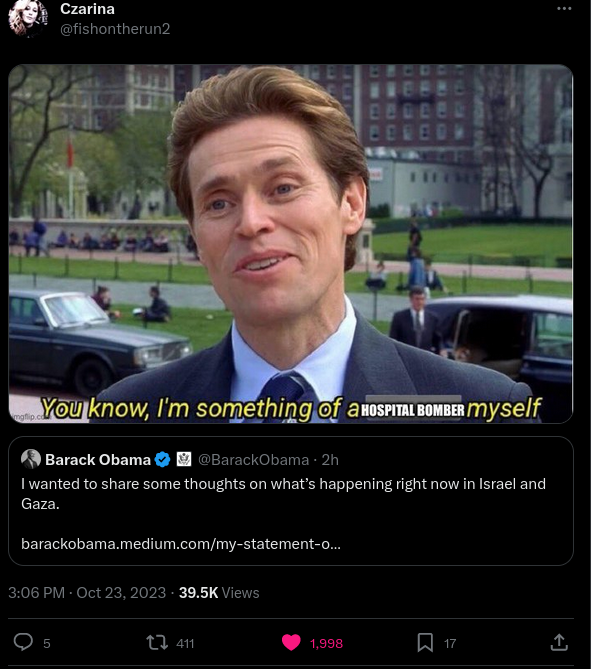
Now that we have amassed "300,000" IDF troops on the border of Gaza, we are shutting off the cameras. Have a nice day.

view more: next ›

PorkrollPosadist

joined 5 years ago
MODERATOR OF